
Tower Rush demo for free play
Tower Rush demo lets you practise Build, Cashout and Bonus Temple in FUN mode without using real money.
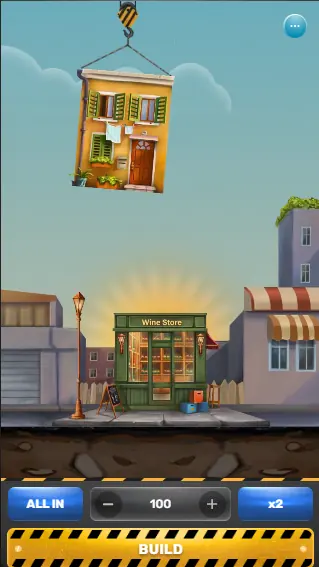
Use the Tower Rush demo as a low pressure way to learn the controls, watch the tower grow and understand when a round ends. You can choose a stake for the simulation, but demo results are not cash winnings and cannot be withdrawn. Start with a few rounds, then see whether the pace and Cashout decision feel clear to you.
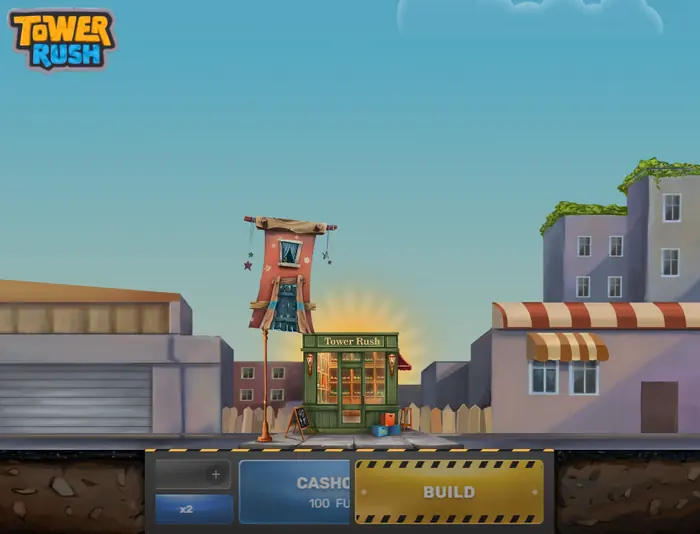
Tower Rush demo mode
FUN mode recreates the main flow of Tower Rush without asking you to fund a real balance. You can place a demo stake, press Build and observe how each floor changes the tower. The outcome remains for practice only, so any displayed result is not a monetary win and is not paid out.
If you need the wider game overview first, you can return through Home.
Starting a round in your browser
Open the game page and wait for the play area to load. Check that FUN mode is active, choose a stake from 1 to 100, then press Build. Registration is not required for this practice flow.
The sequence is deliberately simple: load the page, select the stake and start construction. That gives you time to check the interface before considering any real money play.
Your first Build action
When you press Build, the first floor descends from the crane and is placed on the tower. If it lands successfully, a new section appears and the visual state of the building changes at once.
That movement is the first useful thing to watch in the demo. The game shows progress on the structure itself, not only through a number on the screen.
Ending the round
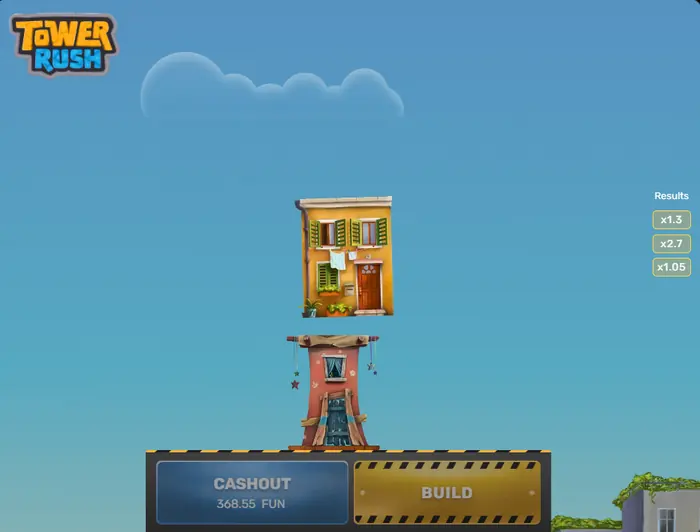
After a successful floor, you can press Cashout to finish with the result currently shown. Alternatively, press Build again and accept another chance to extend the tower.
The extra step carries risk: if the next floor collapses, the round ends unsuccessfully and the accumulated demo result is lost. Cashout closes the round immediately.
Reading the demo screen
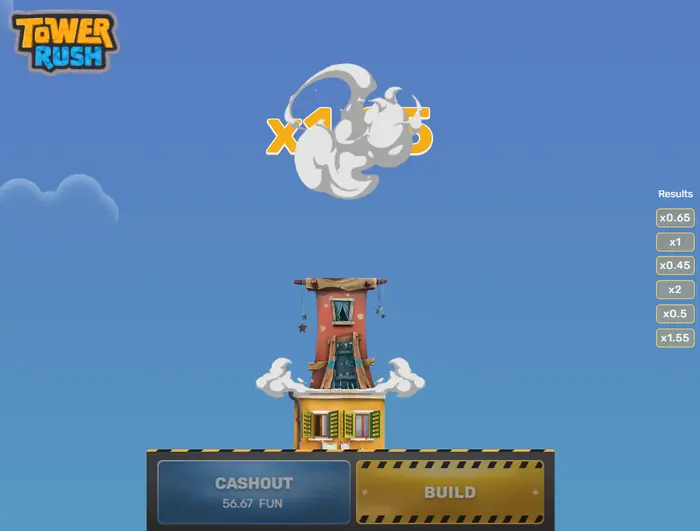
The play area combines the tower, its changing construction blocks, the current multiplier information, the Cashout amount and the Build control. The layout is more compact on a phone, so check that each control remains easy to read before you start a session.
If mobile access matters to you, the Download page covers the app route separately.
The Results panel
The Results panel on the right shows available or recently calculated round results. It also helps you follow the sequence of multipliers being displayed while you decide whether to build again.
Treat it as an information panel, not a forecast. A visible sequence does not guarantee what the next building step will do.
The Cashout amount
The Cashout figure is shown in FUN, the demo balance unit. It illustrates how the current result changes after a successful floor and lets you rehearse the decision to stop.
FUN is part of the tutorial experience. The amount is not a cash balance, cannot be withdrawn and does not become a payout simply because it increases.
Construction blocks and visual progress
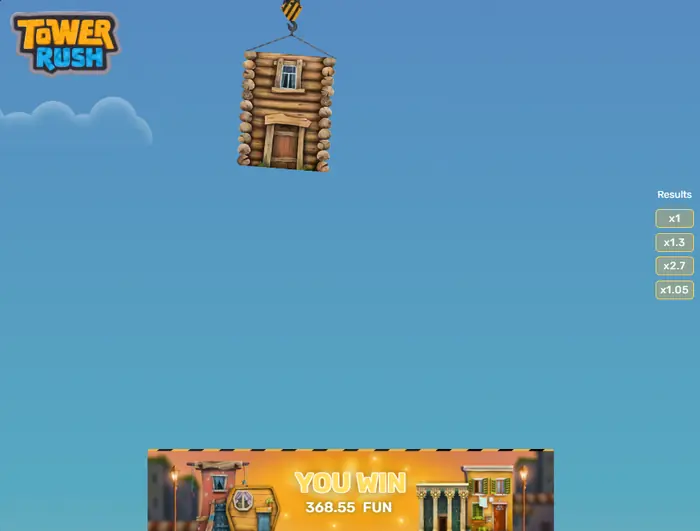
As floors are added, the tower picks up visible details such as facades, wooden houses, brick sections and the central tower. These images make the building stage easy to recognise during a fast round.
They are visual progress markers, not signals of a coming multiplier. The appearance of a particular block does not predict the next result, so use the controls and round information instead.
The Bonus Temple round
Bonus Temple uses a bonus wheel that can be activated when the relevant condition for your game version is met. Its sectors include ×1.5, ×2, ×3 and ×5 values, with the numerical sectors appearing more than once, plus a freeze sector.
The wheel makes one automatic spin. A multiplier applies to the current result, while the freeze sector locks that result if it is selected. The bonus scene is separate from ordinary visual building progress, and its exact trigger should be checked in the rules for the version you are using.
Making the demo useful
Run a handful of short practice rounds and test the parts that matter in real use: loading speed, button placement, text size and the timing of Cashout. On a small screen, rotate or resize the browser if controls feel crowded.
It is also worth trying both choices after a successful floor. The demo can show how Build and Cashout work, but it cannot reveal a guaranteed winning pattern or change the underlying mathematics.
Moving from demo to real money play
Real money play is a different account and balance context. It normally requires registration and verification, and you should read the operator’s limits and withdrawal rules before depositing.
The demo does not improve your mathematical chances. If you decide to continue, see the Real Money section for the real money route and its conditions.
Safety and responsible play
Tower Rush is for adults aged 18 and over. Do not allow minors to play, and check that the operator holds the appropriate licence before using real money.
Set voluntary deposit, loss or session limits where they are available. A free demo should remain a way to inspect the controls, not a prompt to deposit or chase a result.
FAQ
What can I learn from the Tower Rush demo?
You can practise the FUN mode controls, follow the tower’s construction sequence and learn where Build, Cashout and Results appear on the screen.
Which buttons are used during a round?
Build starts or continues the next floor, while Cashout ends the round with the result currently shown.
Can demo results be paid out?
No. Demo results are shown in FUN units for practice only; they are not cash winnings and cannot be withdrawn.
How does Bonus Temple work?
When the relevant version condition activates it, the bonus wheel spins once and can apply ×1.5, ×2, ×3 or ×5, while its freeze sector can lock the current result.